




Team Devo is happy to present Devo Platform 8.17.4, which introduces new features to Data Search and Administration. For Data Search, we have introduced a new progress bar, providing a visual indicator for searches in progress. The JQ operators are now aligned in functionality between API and Data Search. New functionality for the Peak operator, it now supports both IPv4 and IPv6. In Administration, you can now manage tokens through RBAC, complete with token obsfucation! This Product update combines the release information from Platform 8.17.0 and 8.17.4. Read on to see the full details.
Release Geos
| Region | Status |
|---|---|
| CA | Released |
| US | Released |
| EU | Released |
| APAC | Released |
Table of Contents
New Features
Data search: New progress bar
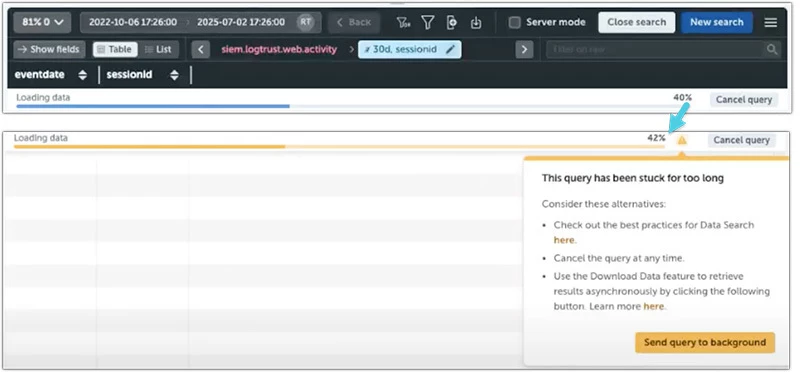
The new progress bar will indicate the completion during the initial loading state of a running query when no data is available.
This feature provides users with clear visibility into the status of their queries, ensuring they are informed that the data is being processed correctly and displayed accurately.
Copy in Field Header Menu
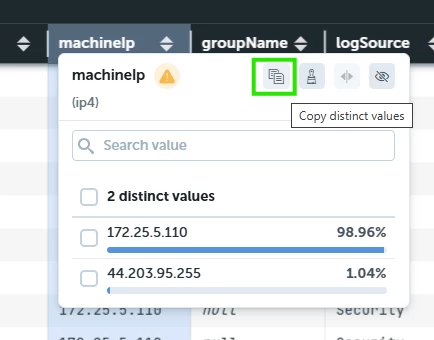
The field header menu in data search has a button that copies the distinct values in a field to the clipboard.
“Peek” and “Is in” support net4
Peek: find matching network prefix (peek) and Is in (`in`, <-) support arrays of net4 data type. Now both IP4 and IP6 notation can be used.
Improvements
Administration: Role-Based Access Control (RBAC) for tokens
The Administration -> Credentials -> Tokens area is now available to all users. Admin users and those with the “API Credentials” permission will see all tokens in the domain, while other users will only see the tokens they own.
The new RBAC functionality ensures that the value of a token is only visible to its owner (the user who created it) and its authorised user.
Key improvements include:
-
A new field has been added to the Tokens page that displays the token value.
-
Non-admin users without the “API Credentials” permission will only see the tokens they own or are authorised to use.
-
The token value is only displayed to its owner (i.e. the user who created it) and its authorized user (i.e. the recipient of the token)
-
Users with “API Credentials“ permission who access the details of a token they don’t own will see it hashed with the following structure:
tk.<token_hash>.<last_5_characters_of_the_token>(i.e.tk.c1b3b252eee3.7f012). -
The “Token info” window includes the token type.
Learn more in our Documentation.
LINQ unification project udpate
-
JQ operations: JQ operations support is now aligned in User Interface and API.
-
peekoperation: Support for arrays of net6 network prefix arrays. -
`in`operation: Support for arrays of net6 network prefix arrays.
Data Search Event Count
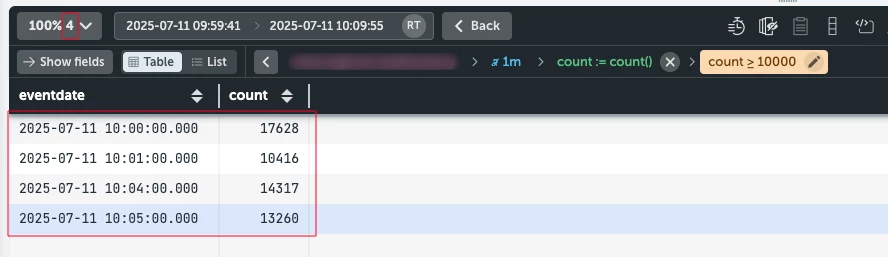
The “Event count” feature now always displays the quantity of events present in the table.
Administration Roles update
The “Current queries” permission has been removed. Users can now view and manage their running queries from the “Current queries“ page by enabling the “Finders” permissions. Admin users can view and manage all running queries in the domain.
Internal Audit Logs
In the "Object name" column, the devo.internal.audit.logs table shows the token name when a token is enabled or disabled, and the certificate name when an X.509 certificate is created or deleted.
Bug Fixes
-
Data search: Previously, the data search table remained blank when a refinement was added to the query. Now this has been fixed.
-
Tokens: Previously, the search field didn’t allow searching for tokens by their value. This functionality has now been corrected.
-
Aggregation tasks: new aggregations with custom fields were failing. Now this has been fixed.
-
Query termination works better when the client’s clock is incorrect.
