
Devo Learning Hub Launch

See what’s new at our product, check the updates below
The Devo SciSec Team (Devo’s Threat Research Team) has released our third alert pack in all Devo domains! This alert pack brings our SecOps related content to our non-SecOps customers and can help jumpstart your threat coverage. Alert Pack - Initial AccessThis release brings a multitude of detections that will alert when an attacker is using common initial access tactics. These alerts will provide your team with actionable information as soon as the attackers attempt to gain access to your environments and attempt to start making longer lasting impacts to your systems. Complete information on this threat vector. “Initial Access consists of techniques that use various entry vectors to gain their initial foothold within a network. Techniques used to gain a foothold include targeted spearphishing and exploiting weaknesses on public-facing web servers. Footholds gained through initial access may allow for continued access, like valid accounts and use of external remote services, or may be limited-use due to changing passwords.” Download now directly from Devo Exchange by clicking here. Full release notes and details of every alert in this Alert Pack. Here is a sample of a few of the alerts included:SecOpsO365PhishAttempt - Adversaries may send victims emails containing malicious attachments or links, typically to execute malicious code on victim systems.SecOpsWinAdminRemoteLogon - Detects remote logins by an administrative user account. Administrative account names are tailored to the organization's specific naming conventions.SecOpsProofpointTAPUserReceivedMalwareEmail - Proofpoint TAP detected a user receiving an email with a malware score of 75 or higher. Records indicating the email was permitted will have a higher signal score compared to those automatically blocked by Proofpoint.SecOpsAWSRootLogin - This detection filters by cloudtrail events with ConsoleLogin as eventName and userName equal to root.SecOpsO365PowerShellActivity - This alert catches uses of PowerShell in the O365 environment.
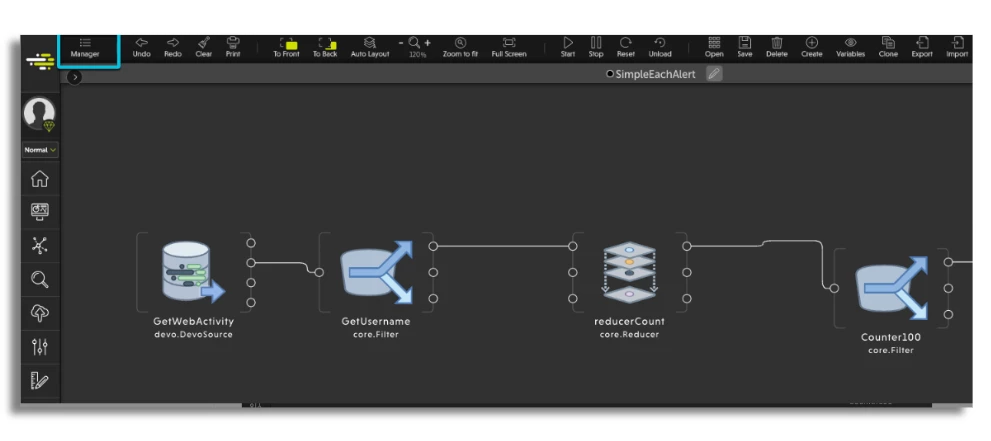
We are pleased to announce Devo Flow 1.13. Read on to learn what’s new!Where is it releasedRegion Status CA Released US Released EU Pending APAC Pending New Welcome PageDevo has added a new Flow Welcome Page, which can be found on the Flow home screen when:Flow is opened for the first time There are no open tabs The Flow Welcome Page is a launch point for the tool and also highlights popular use cases, the latest training videos, and helpful resources. Learn more here. Options include:Start/Open/Import a flow Go to the Flow Management Dashboard Navigate toward recently opened flows Access useful resources Learn the basics of Flow New Flow Manager Devo has added a new Flow Manager. Learn more here. Users with flow domain rights can view and manage all the current flows within that domain. Users with their own flow rights can view and manage the flows within their domain Available capabilities: Load all flows in different tabs (in bulk) Search flows by name Filter flows by different fields Order flows by Status, Date, and Creator Take individual actions for each flow start, stop, load, remove, clone New Manage and Back Buttons The Manage button directly navigates from the Flow workspace to the Flow Manager.The Back button returns to the previous page from within the Flow Manager Rabbit Unit Improvements The following fixes and enhancements have been implemented for the Rabbit Unit. For more details about the Rabbit Receiver Unit, please refer to the Devo Documentation.Add a queue name when reading from an “exchange”. This makes it possible to read messages from the same temporary queue from multiple units, which distributes the load Bug fix: When restarting a context (must be loaded in memory) it would not continue reading from rabbit when it starts Flow interface fix: When inside the configuration from the Rabbit Receiver unit, the queue configuration is generated with an extra indent level (mqs.mqs and is mqs), which doesn’t properly configure the unit Output event bug fix in Rabbit Receiver unit: When setting a field for channel pilot, inputting the “Channel” object causes an error
Update 3.3Region Status CA Released US Released EU Released APAC Released In this release, several new features and functionalities in the Security Operations investigations and triage tabs were released. These accelerate the workflow of the SOC team and simplify your interactions with the Security Operations solution. New features Artifact storage in investigations for improved analysis and incident response coordination. Ability to add custom fields in the investigation for linking with third-party systems. Support of markdown and text formatting in alert annotations and investigation comments. Ability to change status of alerts from the Triage page (grouped by entity and not grouped views) for improved workflow. Human readable text in the Extra Data field in alert details so you can read the data easily, as well as copy and paste it to other systems. Improved Error Communications specifying what analysis went wrong. New Dialog design, consistent in the entire application. Bug fixes Isnotnull function was fixed, when running the alerts through SecOps. Fixed CrowdStrike settings issue that was not enabling to perform CrowdStrike Falcon enrichments. Delete enrichment in investigation detail is fixed. Users can now upload the same file twice in an investigation. Loading layer in real time for triage and investigation: performance issues are fixed. We fixed the alert associations tab in investigations which was not updated correctly when you delete the latest alert in the investigation.
The Devo SciSec Team (Devo’s Threat Research Team) has released our second alert pack in all Devo domains! This alert pack brings our SecOps related content to our non-SecOps customers and can help jumpstart threat coverage. Inside of this pack we have a plethora of detections that will alert when an attacker is using common reconnaissance tactics. These tactics are ones that are often some of the first used to help the attacker get a layout of the environment they intend to attack. Complete information on this threat vector. More detail from the Mitre organization:Reconnaissance consists of techniques that involve adversaries actively or passively gathering information that can be used to support targeting. Such information may include details of the victim organization, infrastructure, or staff/personnel. This information can be leveraged by the adversary to aid in other phases of the adversary lifecycle, such as using gathered information to plan and execute Initial Access, to scope and prioritize post-compromise objectives, or to drive and lead further Reconnaissance efforts. Download now directly from Devo Exchange by clicking here. Full release notes and details of every alert in this Alert Pack. Inside of this pack we have these alerts that cover multiple technologies, including the most commonly attacked technologies:SecOpsFWIpScanExternal: Alerts when an outsider tries to scan firewall ports.SecOpsFWExcessFirewallDenies: Alerts when there is excessive and rapid firewall denies. Often used to try and find an open port within a firewall.SecOpsFWPortScanExternalSource: Alerts when an outside source is scanning the firewall looking for open ports.SecOpsGCPPortScan: Alerts when an attacker is scanning your GCP environment for open ports.SecOpsVpcNetworkScan: Alerts when an attacker is scanning the network.
Sec-Ops is proud to present the industry leading Release 5 Available in the Security Operations application.The Devo SciSec Team (Devo’s Threat Research Team) has released more out of the box detections for the Devo Security Operations Content Stream.Release 5 bring the total number of out-of-the-box detections to 355 and making Devo the market leader in ready to use detections for Microsoft Azure!This latest release continues Devo’s emphasis on Cloud Security Monitoring as a key use case, containing a large number of detections for Azure, Office 365, and Google Workspace. Additionally, Devo has expanded its out of the box coverage for Windows, and AWS, which are commonly ingested into Devo and critical for maintaining security monitoring.Head on over to our Docs to view full release notes! Here is a sample of 5 of the new alert descriptions:A Google Access Transparency log event has been generated. Google is accessing your data. An adversary may steal application access tokens as a means of acquiring credentials to access remote systems and resources. A government-backed attacker could try to steal a password or other personal information of one of your users by sending an email containing a harmful attachment, links to malicious software or to fake websites. An attacker could steal the credentials of one of your users. An attacker could steal the credentials or the mobile device of one of your users.See the full release notes here.
Platform release 7.13New Stat Count Tool: Improvements to the UI Other Enhancements in 7.13 Region Status CA Released US Released EU Released APAC Released New Stat Count Tool:Devo has added a new tool, Stat Count, to Data Search, which allows users to compute statistics on the values of the columns in your query results. This gives users the ability to instantly compute and analyze data with the click of a button. Access Stat Count in Data Search by clicking on Tools→ Stat Count: Stat CountStat Count has four main panels: The Statistics Panel, the Edit List Panel, the Bulk Reports Panel, and the Details Panel. Statistics PanelThe Statistics panel shows the estimated values for the fields you select. Exact values are computed at the time you generate a Bulk Report. Bulk ReportsThe Statistics panel also includes a progress meter bar that shows the percentage of the data scanned and a cancel button to manually stop the compute operation. A search box is provided to locate columns quickly. Clicking the three dots button will allow the user to save the current column configuration for future searches over the current data table for that user. It can also reset the column configuration to the default value. Clicking the Edit List button launches the Edit List Panel. Edit List PanelThe Edit List panel allows you to quickly select columns returned in your query and view their data types. Notice that the Edit List panel also has a search box to search and locate the columns you need quickly. The SAVE button will return to the Statistic panel displaying only the checked columns. The “~” on the Statistic panel denotes that the following values are statistical estimations. To obtain exact value counts, perform a bulk report by clicking on the Bulk Reports and Generate buttons. Statistics Panel → Bulk ReportsThe Bulk Reports panel generates exact statistics for the values in the selected columns. Like the Statistics Panel, it also has a search bar to locate columns quickly. Clicking the Generate button will run an exact, updated calculation on the values for the selected columns.The fourth and final panel is the Details Panel which shows details of the individual column you’ve selected. You can access the Details Panel by double clicking on any item you’ve selected in the Edit List panel: Details PanelThe detailed statistics show the number of occurrences corresponding to each top value for the selected column. If “Top values = Exact,” the top 10 values matching the exact counter are displayed. If “Top values = Estimated,” the top n values of the exact/estimated counter are displayed. The Exclude null selector allows you to exclude null value returns. The Add to favorites button will display extra statistics relative to the distribution of the top values: Add to FavoritesThe extra stats display enables users to determine which values have the most significant distribution and, thus, are the most relevant.To control access to the Stat Count Tool, we added a new role permission, “Stat count of searches” (Data search → Search Window), to enable the Stat Count Tool in Data Search:Stat count of SearchesPLEASE NOTE that Stat Count is only available in the SELF domain by default. To enable it across the entire domain, you must request it from Devo Support. Improvements to the UI We also added a time picker to the “Finders” and “Free text query” windows so you can select the time range for the query. This allows the user to easily select an exact time range instead of relying on the default time period. FinderFree text queryImprovements have also been made in the “Operations Over Columns” form with a new feature that allows users to add nested operations in the same step. This simplifies the process of creating complex queries. Create ColumnThese new features are available under the CREATE COLUMN, FILTER, and AGGREGATE tabs. Nested operations can be applied to the main operation arguments and the main operation result. Nested operations must use a single (unary) argument whose type matches the current nested operation argument.The 7.13 Platform release also brings improvements to the JSON Extractor in Data Search. In previous releases, the names of the extracted columns were a generic “usrcolX.” In 7.13 and onward, the whole path key of the source JSON field will be used. Additionally, the user will be able to modify the auto-extracted name by prepending the source JSON column name or removing the full path to the source JSON field, as shown by the checkboxes in the following example: Selected CellOther Enhancements in 7.13We removed the green horizontal scroll at the top of Data Search, as it was redundant with the standard scroll at the bottom of the screen. This offers slightly more screen space. The font has been changed to monospace in both query editor and table results. This updated format increases readability Null values are now displayed in italics to easily distinguish them from the “null” string All numbers are now aligned to the right to make it easier to compare values We added two new date operations in Data Search: “weekofyear” and “weekofmonth” We added two new aggregation operations in the Query Editor for eventdate: “min” and “max” Improved Finders display of Union Tables are now sorted alphabetically
What is the MITRE ATT&CK Advisor Application? Devo’s MITRE ATT&CK Advisor empowers you to intuitively operationalize the MITRE ATT&CK Adviser and improve SOC effectiveness. By equipping Devo users with the MITRE ATT&CK Adviser within the platform, security teams are able to map their ingested data and detections to MITRE’s documented tactics and techniques for identification of crucial coverage adjustments. SciSec, Devo’s security research team of data scientists and cybersecurity experts, created the MITRE ATT&CK Adviser as a testament of their mission to provide analysts with scalable threat management tools and methodologies to succeed at detection, investigation, and response. What Will I be able to achieve with the MITRE ATT&CK Adviser? Gain confidence by leveraging a dynamic MITRE ATT&CK coverage heat map to identify coverage gaps that may exist and fill those gaps by deploying out-of-box detections available in Devo Exchange Gain visibility of all your data sources against MITRE and easily identify the techniques each source can detect and where data gaps may exist Gain clarity into commonly employed techniques used by threat groups and nation state threat actors to improve detection coverage relative to your organization’s industry and geography Overview of the Application The Mitre Attack adviser application gives you instant visibility across all the objectives in the mitre attack framework and their corresponding tactics. With the adviser, you can look at each objective to see how many detections you have for each of the techniques across the framework. Red denotes a lack of detections for that objective or tactic, yellow denotes moderate coverage, and green means you have good coverage.Additionally, the advisor App has Threat Group Filters that can be turned on to see what detections you have around a specific threat. You can select a threat great from the dropdown list (Hafnium is shown in the example). This kind of visibility into your security posture around specific attacks gives you the clarity to see where your defenses are strong, and where you need to increase coverage. Additionally, Devo has released over 200 new detections just this year and the Sci Sec team is continuing to add new detections. With Devo’s Content Manager, you can increase coverage with new detections by simply clicking a button. Simply go into the Content Manager, search the detection you are looking for and install it. Then you can see the change in your coverage in the adviser App. Devo’s new Mitre Att&ck adviser application, and the new detections from Content Manager, is there to empower you to make the right decisions for your SOC. How Can I access the App and Start Using it Today? The MITRE ATT&CK app is available in Devo Exchange for all Devo customers. For more information on the app, please contact your CSM or read more about it in our documentation. Click here to install it now!
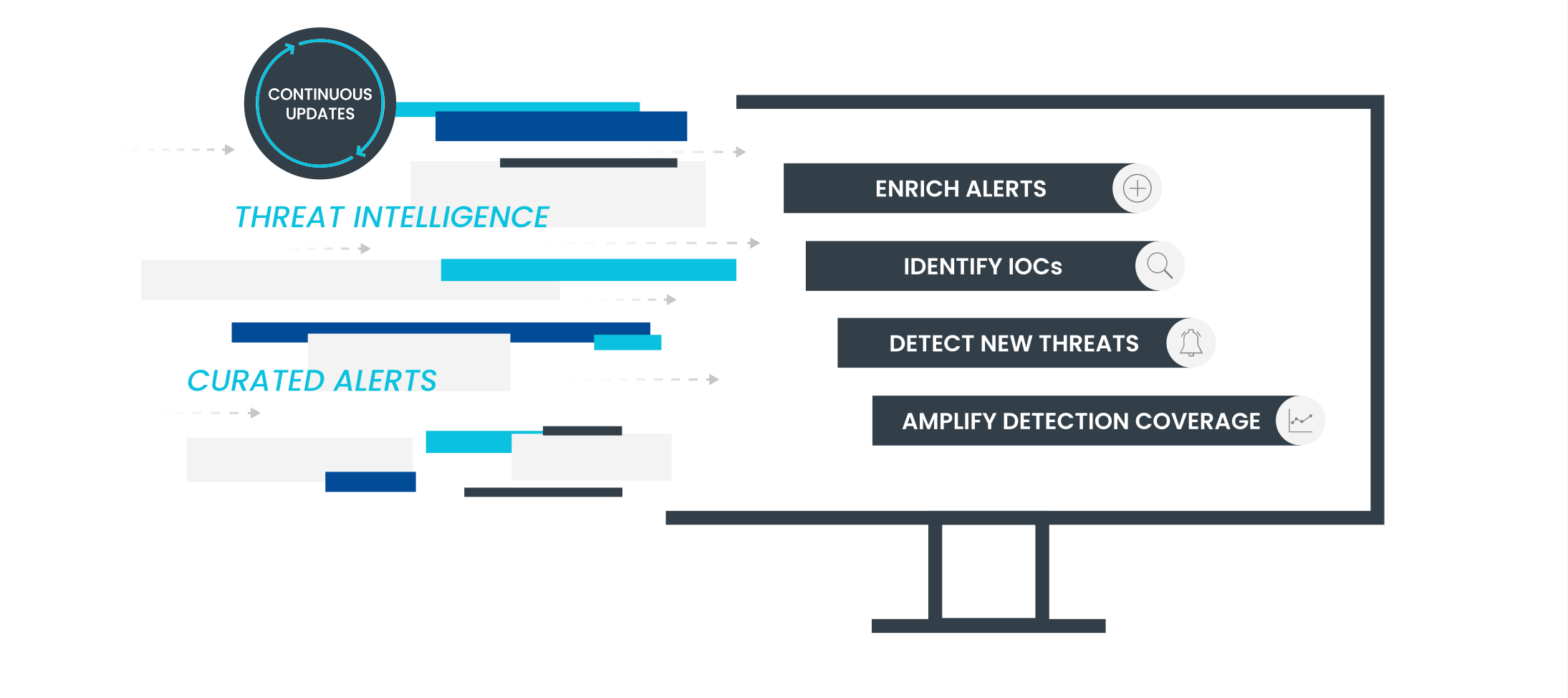
Devo is pleased to announce the availability of 50+ cloud security detections for AWS to our Security Operations application. The new detections enable organizations to monitor their cloud infrastructure, look for areas of risk, or respond to threats as they emerge. Devo security experts crafted the detections and tested and validated each of the detections using adversary simulation.Devo curated and vetted these detections — which will be delivered by use case — to provide rapid time to value with out-of-the-box content that will help organizations of all types improve their cloud security posture. What are the benefits of these detections? Unified visibility and the ability to minotaur large volumes of data across hybrid, multi-cloud environments Reduced mean time to detection and response (MTTD/MTTR) with automatic alerts based on suspicious cloud usage Granular visibility into application, user or file behavior across different environments to secure dynamic workloads and detect abuse of privileges Maintained surveillance of user access and privilege to uncover identity-based threats Continuous monitoring and scanning to provide security assessments in real time Additional Resource: AWS Cloud Detections Documentation Solution Brief Blog
Devo has acquired Kognos! What is Kognos? Kognos, the pioneer of autonomous threat hunting, gives analysts everything they need to know to quickly and efficiently remediate and get ahead of risks in their environment. Kognos runs autonomous investigations and hunts, doing what an analyst would, from start to finish, in a matter of minutes, to cut through the alert noise and reveal the information, activity, and connections that matter. With complete attack stories, analysts know exactly how the attack started, what it did, and when, so they can take all appropriate actions to address the entirety of the threat. Kognos works in the background providing continuous insights into the latest threat activity, so analysts can do what they need to keep the environment safe. How do Devo and Kognos work together? Paired together, Kognos and Devo can transform petabytes of security data into comprehensive attack stories. Devo collects data from across the entire attack surface, from any source, at massive scale, and provides the advanced analytics and detections that feed directly into the Kognos AI engine. These alerts feed directly into the Kognos attack-tracing AI engine that mirrors how analysts work by asking thousands of questions that dig into the data to understand the attack and providing end-to-end threat stories that radically improve analyst decision-making and shift their starting point from an alert to a full attack blueprint. This powerful combination automates key aspects of the threat lifecycle—detection, triage, investigation and hunting—eliminating the repetitive manual tasks that lead to analyst burnout and SOC inefficiency. It also accelerates incident response by continuously updating a real-time view of all assets and their relationships, which enables you to assess the potential impact on your organization with a clear view of what needs to be remediated. Together, Devo and Kognos form the foundation of the autonomous SOC by providing the data analytics, automation and AI that SOC teams demand to keep pace with sophisticated adversaries while avoiding analyst burnout. Where Can I Learn More? Blog Solution Brief Kognos Website If interested in getting a Kognos demo, please reach out to your Devo RSM or CSM!
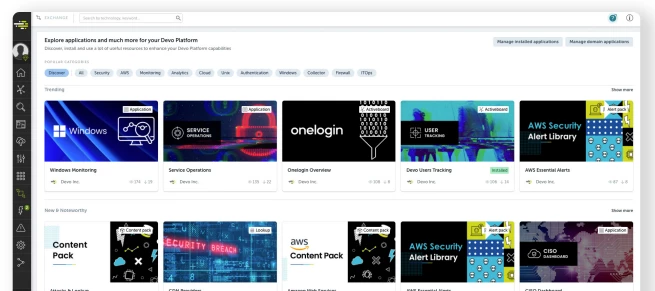
Devo is pleased to announce the release of the Devo Exchange. The Devo Exchange is a vibrant community-based marketplace full of valuable content that Devo customers can browse, install, and manage with push-button simplicity. Devo Exchange enables you to realize immediate value from your Devo deployment by providing on-demand access to content relevant to your security ecosystem. Devo Exchange reduces the time your team needs to spend creating custom content and accelerates the deployment of impactful use cases. How Do I Access Devo Exchange? The Devo Exchange is accessed via the Exchange icon directly in the Devo UI. Once you launch the Exchange by clicking on the icon, you will be taken to the Exchange landing page. Notice that the landing page includes the “Highlights” section – which is important content for all Devo customers, and the “Recommended by Devo” section, which contains highly relevant content. Clicking on the “Discover” section offers you other ways to sort content including “Trending,” New & Noteworthy,” and “Most Popular.” What Content does Devo Exchange Contain? The Devo Exchange contains expert created security analytics and alerts, insightful Activeboards, data enrichments, use-case based applications, and content packs. Content packs are combinations of related alerts, Activeboards, enrichments, and applications How do I Install Content?Each piece of content on the Exchange is represented by a tile. When you click on a tile, it will display the type of content (alert, lookup, Activeboard, application, or content pack) as well as an overview of that content. Please note the required data source table(s) for that content in the lower right of the card under the “Requirements” section.” Simply click the green “Install” button in the top right corner to install the content.To see which content you currently have installed in your environment, click the “Manage Installed Apps” in the top right corner of the Exchange. After clicking it, you will see a page of all the installed content in your environment organized by content type (alerts, Activeboards, applications, and lookups). For a small subset of customers who have developed their own custom applications, you will also have “Manage domain applications” which lists those installed custom applications not from the Exchange. Additional Resources: Devo Documentation Devo Exchange Customer Webinar Devo Exchange Demo:
Enter your E-mail address. We'll send you an e-mail with instructions to reset your password.